Sokoban Solver Algorithm: How Search Finds a Solution
A Sokoban solver algorithm turns a box-pushing puzzle into a search through board states. Instead of guessing a long move string, it records where the boxes are, which floor the player can reach, which pushes are legal, and which positions are already known. This guide explains that process in plain language, with a small board trace and honest limits.
This is an explanation of how a solver works, not another click-by-click tool guide. Use the Sokoban solver online page when you want to paste an ASCII board and get a route. Use this article when you want to understand why the search accepts a push, rejects a branch, or stops before proving a solution.
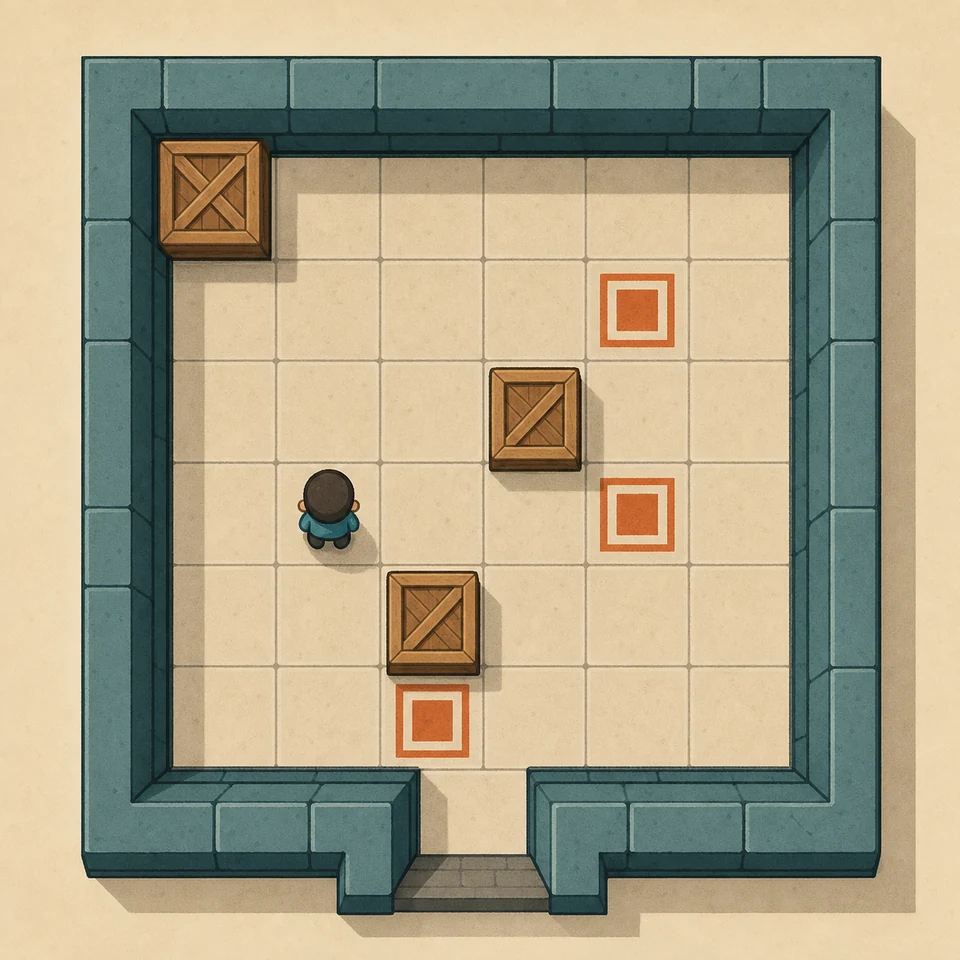
A solver evaluates a board as a state graph, not as a picture alone.
What a Sokoban solver algorithm actually searches
The useful unit in Sokoban is usually a push, not a single arrow-key step. Walking between pushes changes the player's location but does not move a box. A solver can therefore treat a board as a graph: a node is a known position, and an edge is one legal push followed by any walking needed to stand behind the next box.
That graph is large because pushes are irreversible. A box can be moved only by standing on the opposite side, and the player cannot pull it back out of a bad corner. The search must preserve enough information to answer two questions at every node: which boxes occupy which floor cells, and which floor cells the player can reach without moving a box.
When every goal is occupied, the solver follows parent links back to the start and reconstructs the route. A direction string may contain many walking steps, but the important decisions are the pushes that changed the graph.
How a solver represents a board state
A board has static data and changing data. Walls and goals never move, so the solver can parse them once. The changing part is the set of box coordinates and the player's reachable region. Two player coordinates often describe the same useful situation when the player can walk between them without crossing a box. Normalizing those coordinates prevents the queue from filling with duplicate walking positions.
| State part | What it records | Why it matters |
|---|---|---|
| Walls and goals | The fixed board geometry | Defines legal floor cells and the solved condition. |
| Box configuration | One coordinate for each box | Determines which pushes and goal assignments remain possible. |
| Player region | Floor cells reachable without pushing | Shows which sides of boxes the player can support. |
| Parent and action | Previous state plus the push direction | Lets the solver replay a found route instead of returning only yes or no. |
A transposition table, also called a visited set, stores a key for each normalized state. If the same box configuration and reachable player region appear again, searching it again cannot reveal a new continuation. This is a simple memory-for-speed trade.
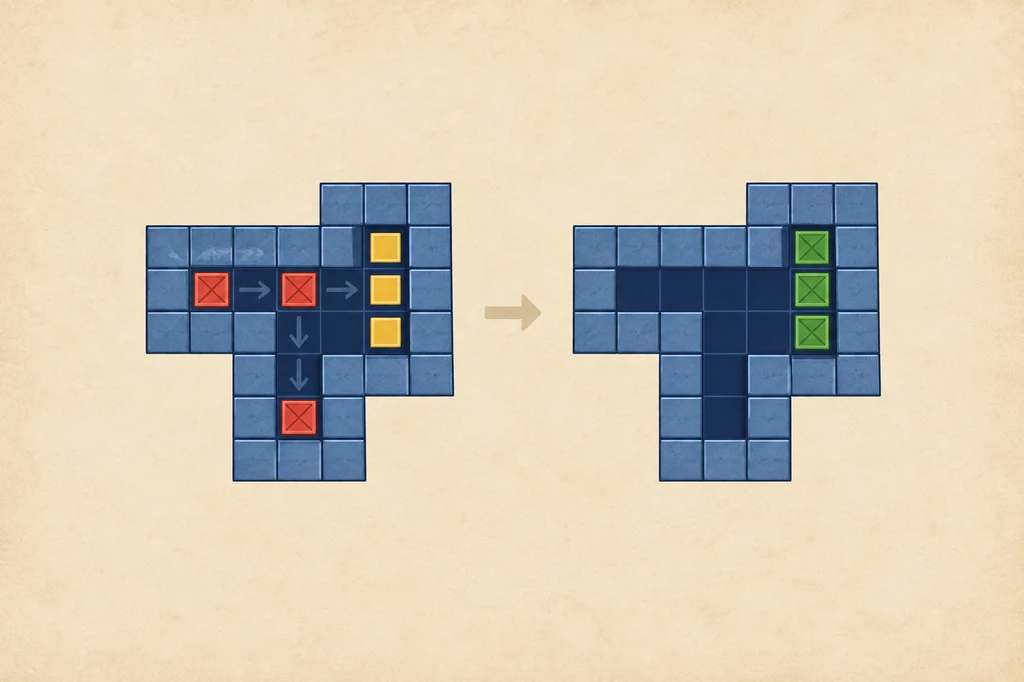
Editorial board diagram: box order changes the set of states that remain reachable after each push. The image illustrates the idea, not a screenshot of the solver code.
How the search frontier grows
Once a state is parsed, the solver flood-fills the player's walkable area. For each box, it checks the four neighboring directions. A push is legal only when the destination is empty floor and the player can reach the standing square on the opposite side. The solver then creates a new state with the box moved and the player's region recalculated.
Different search orders produce different guarantees. Breadth-first search explores shallow push sequences first, so it can find a fewest-push route when every edge has the same cost. Depth-first search follows one branch deeply and uses less frontier memory, but it may spend a long time in an unhelpful branch. Uniform-cost or A* search can combine push cost with a heuristic, although the quality and safety of that heuristic determine what the result means.
- Parse. Read walls, goals, boxes, and the player; reject malformed counts or unsupported symbols.
- Reach. Mark every floor cell the player can visit without moving a box.
- Expand. Generate each push whose standing and destination squares are both valid.
- Prune and record. Skip duplicate or obviously dead states, then store the parent and push that created the new state.
- Finish. Stop when all goals are covered, or report that the bounded search found no route within its limit.
The search does not need every walking path separately. After a push, one normalized reachable region is enough to generate the next pushes, which keeps a compact browser solver practical.
Why deadlock pruning matters
Without pruning, a search wastes time exploring positions that cannot reach a solution. The easiest rule is a non-goal corner: a box against two perpendicular walls can never leave, so the branch can be discarded immediately. A wall segment with no compatible goal, a frozen 2x2 group, and a box that seals a one-cell corridor are also common static checks.
Some failures are about access rather than a frozen box. A goal may be filled correctly but occupy the only standing square needed for another box. Two boxes may still slide while the player has lost the side required to separate them. These are harder to detect, so a practical solver combines simple pattern rules with duplicate-state checks and a finite search budget.
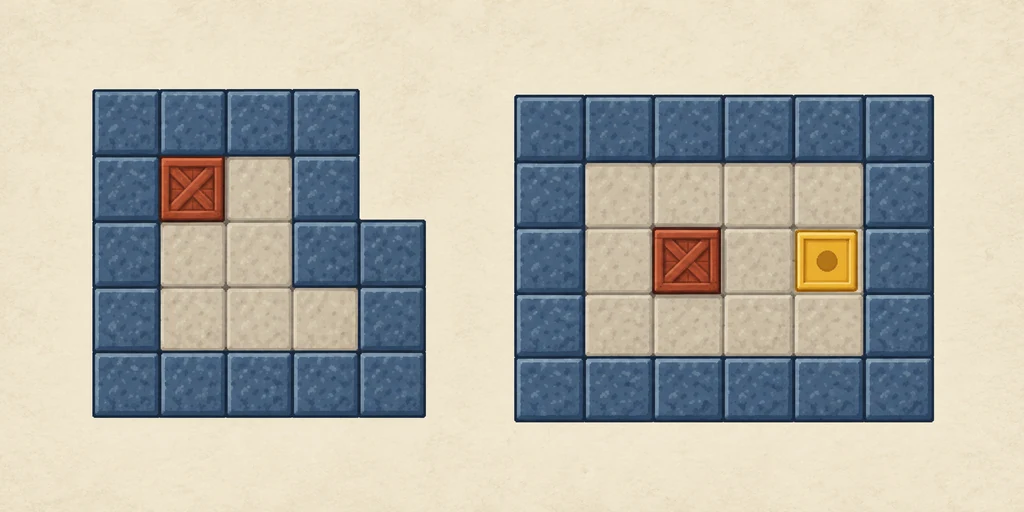
A simple corner deadlock is valuable to a solver because it can be recognized before deeper search. More subtle access failures still need broader state checks.
Pruning is a correctness tradeoff: an over-aggressive rule can delete an unusual winning route. Small browser tools should therefore describe their pruning boundary instead of calling every “no solution” result a proof.
Push cost, walking cost, and heuristics
People often say “shortest solution” without defining shortest. A push-optimal route minimizes box pushes. A move-optimal route also minimizes player walking. Those goals can conflict: a longer walk around an open room may save a push and keep the box assignment safe. A solver must choose which cost to put first, and the page should label the result accordingly.
A heuristic estimates how far a state is from completion. A basic estimate may match each box to a goal using grid distance, then add penalties for boxes trapped against walls. This estimate is only a guide because walls, access squares, and box order make the real route harder than a straight-line distance. It can prioritize promising states without proving that the estimate is exact.
For a small board, show the move string, push count, walking count, and states checked. Readers can compare the result with their own plan without mistaking it for an unverified optimum.
A small board trace
Consider this one-box example, where # is a wall, . is a goal, $ is a box, and @ is the player:
#####
# . #
# $ #
# @ #
#####
The initial reachable region contains the player cell and the floor below the box. The solver sees one legal push: the player can stand below the box and push it upward onto the goal. It records the new box coordinate, recomputes the player's reachable region, and detects that every goal is now occupied. The parent link is enough to reconstruct a short route with walking followed by one push.
On a harder board, the frontier holds several candidate pushes. A corner branch disappears during pruning, while a movable branch stays in the queue. That is the difference between random trial and a solver that remembers what it has proved.
When a solver stops or says no
A browser solver can stop for several honest reasons. The board may be invalid because the number of boxes and goals does not match, a symbol is unsupported, or the player is missing. The board may be valid but exceed a safe row, column, box, or visited-state boundary. Or the bounded search may exhaust its frontier without finding a solution.
Only the last case on a complete, unbounded search would justify a strong mathematical “unsolvable” claim. A small online tool normally uses a finite budget to keep the page responsive. Treat a limit message as a prompt to crop the board, inspect a deadlock, or continue with manual reverse planning. The companion Sokoban solver documents its small-board boundary and returns a clear message instead of running indefinitely.
Level makers can use a solver to verify a route, then use a human playtest to check that the lesson is visible. The Sokoban level design guide covers that workflow; this page explains the search underneath it.
Sokoban solver algorithm FAQ
What is a Sokoban solver algorithm?
It is a search procedure that represents box and player states, generates legal pushes, rejects known dead states, and reconstructs a route when all goals can be filled.
Does a solver search every arrow-key move?
Usually it groups walking into a reachable player region and expands pushes as the important edges. That removes many equivalent walking paths from the search.
Why does deadlock pruning make a solver faster?
It removes branches such as non-goal corners, frozen groups, and sealed lanes before the search spends time expanding their descendants.
Does the first route mean it is the shortest?
Only when the chosen search order and cost model guarantee that property. A bounded browser solver may return a useful route without proving push-optimal or move-optimal status.
What does search limit reached mean?
It means the tool stopped at its safety budget before proving a route or proving impossibility. Try a smaller board or inspect the state manually; do not treat the message as proof of no solution.
Sources and further reading
The state vocabulary and reachable-region ideas are checked against the Sokoban Wiki solver reference. Search-order examples follow Basic Search Algorithms on Sokoban. The limits of state-space growth and heuristic distance are discussed in Pavel Klavik's Sokoban Solver documentation. These sources explain standard Sokoban; the page's tool-specific boundaries come from the linked Zeek solver.
Run a small board and inspect the result
Paste an ASCII position into the browser solver, then return here to connect the move string to states, pushes, and pruning.
Open the Sokoban solver